


The process of how to make a website may appear daunting at first, but it’s manageable and enjoyable. Your website is your number one tool for showing off what you’re all about. It is your primary platform for showcasing your unique identity and message to the world.
When starting a business — whether starting a food blog, launching an online store, or wanting to showcase your passion project — building a website has become more accessible than ever. Gone are the days when only tech-savvy wizards could conjure up websites from thin air. You can craft your online presence with the right tools and a dash of creativity.
This step-by-step guide will demystify how to make a website for you. Let’s break down the steps on how to make a website and get it up and running.
Table of Contents
1. Lay the Groundwork
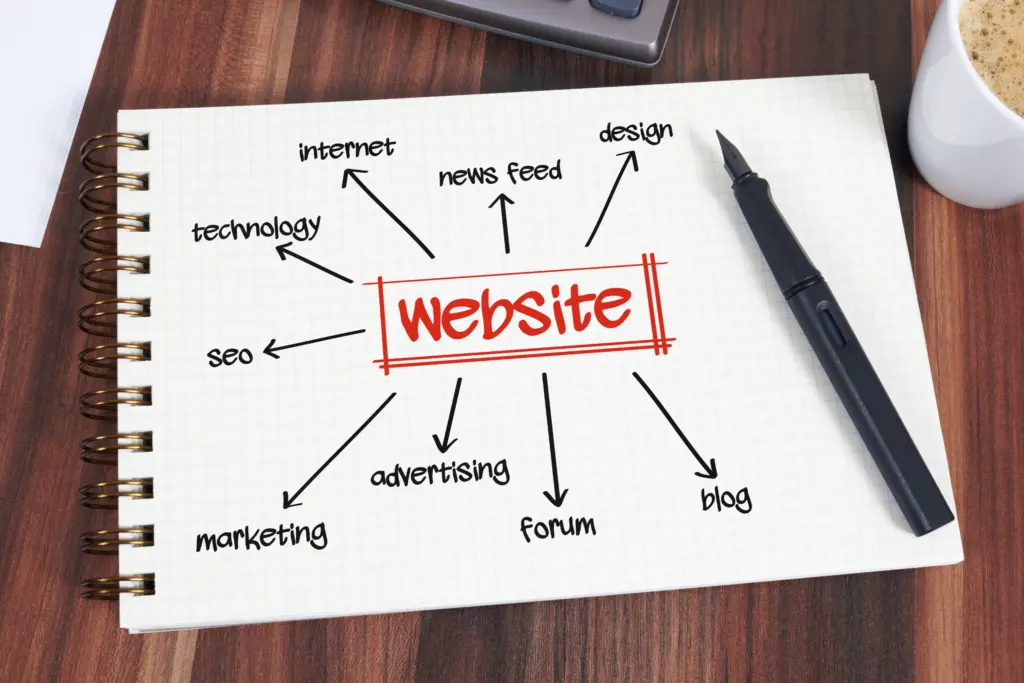
When creating a website, the first step is to lay the groundwork to help ensure a successful and well-structured project.
Before diving into website development, it’s crucial to define the purpose of your website and set clear goals. Define the specific goals you want to achieve with your website, and these goals should align with your overall business or personal objectives. Defining your goals shapes the website’s design and functionality accordingly. Your goals will determine the website type you need– e.g., for personal blogging, informational websites, e-commerce, portfolio showcasing, community-building, or other purposes. This clarity will guide your decisions about content, design, features, and user experience throughout the process, thus preventing aimless development.
Identify your website’s target audience and understand them. Knowing your audience’s preferences, needs, and expectations will help you tailor your website’s content and design to engage them effectively. Understanding what you want visitors to accomplish on your site allows you to create an intuitive and satisfying user experience, which is crucial for retaining and converting visitors.
You need to plan your content strategy based on your goals. Decide what type of content you’ll create, such as articles, product listings, videos, or interactive elements. Ask yourself if you wish to monetize the website, and if so, how will you do it.
Knowing your goals helps allocate resources effectively. Whether budget, time, or personnel, you can allocate resources where they are most needed to achieve your objectives. When you have well-defined goals, you can assess the ROI of your website investment. You’ll be able to determine whether the website contributes to your overall objectives and profitability.
2. Pick a Domain Name
Your domain name is like your online address – it’s how people find you online. When choosing one, it’s smart to pick something that matches your business or personal brand. This helps with your website’s identity and can even help you show up better in search results.
Here are some tips for choosing a domain name:
- Use keywords that describe your business to help your search engine ranking.
- Make sure it’s easy to spell.
- Keep it short and sweet, so it’s easy to remember.
- Steer clear of tricky stuff like hyphens, numbers, and weird abbreviations.
- Use keywords wisely. If relevant, include keywords that describe your website’s content or purpose. This can improve your site’s visibility in search engines.
- Make it memorable so that visitors can recall it easily. Avoid using obscure or complex words.
- Avoid trademark issues. Check for trademarks and copyrights related to your domain name choice to avoid legal complications.
- Get creative. If your desired domain is unavailable, get creative with synonyms, variations, or combinations of words.
- If the domain is unavailable but for sale by some private holders, consider the price and the return on your investment.
- Stick to familiar domain endings like .com or .net or one that fits your needs.
- Check to make sure the name isn’t already taken.
- Check social media availability. Ensure the domain name is available on social media platforms to maintain consistency in your online presence.
- Protect your brand: If your website represents a brand, consider registering variations of your domain name to protect your online identity.
- Think long-term. Choose one that will still be relevant and effective years down the line.
- Get privacy protection (WHOIS protection) to keep your personal contact information private. Many registrars offer this service.
- Set up domain renewal reminders to avoid accidental expiration. Losing a domain can be detrimental to your online presence.

3. Register Your Domain and Set Up Your Web Hosting
Your domain name is a significant part of your online identity, so choose it carefully. It’s the address your visitors will use to find your website, so make it memorable and representative of your brand or content.
Once you’ve got a domain name in mind, you need to register it. Select a well-established domain registrar with a good reliability and customer support track record. Popular registrars include GoDaddy, Namecheap, and Domains.com. Domain names usually cost about $10 to $20 a year, though there are registrars that offer domains for $0.01 for the first year with a 3-year term.
Next, you must find a place to ‘host’ your website. This is where your website lives on the internet. You can sometimes get your domain name and host from the same company, which can make things simpler. Some well-known web hosts are Bluehost, DreamHost, GoDaddy, and InMotion.
When selecting a web host, it’s crucial to understand your website’s specific needs. Consider factors such as the type of website you’re running, the expected traffic, and any special requirements, such as e-commerce capabilities or content management systems.
Next, research and compare different hosting providers. Take the time to explore the types of hosting they offer, such as shared hosting, VPS hosting, or dedicated hosting. Each type caters to different needs, so choose the one that aligns with your requirements. If you’re not a tech whiz, platforms like WordPress, Squarespace, or Wix are great because they’re easy to use and have everything you need in one place.
Price should also be a consideration. Compare pricing plans with your budget to find a hosting provider that offers the features you need at a cost you can afford. Remember that the cheapest option may not always provide the necessary performance and support.
Reading reviews and gathering feedback from other users is another crucial step. Familiarize yourself with the hosting company’s reputation and pay attention to what customers mention about their experiences. Look for indicators of reliability, uptime, speed, and customer support.
Figure out what type of customer support they offer and how fast they respond. Imagine seeing your website down, and you can’t talk to anyone in your web host to fix the site and get it up and running as soon as possible. Some web hosts offer phone support, while others offer only email or ticketing support, and they may not respond as fast as you’d like.
When choosing a hosting service, look for perks like tech support and freebies like a domain name or an SSL certificate. An SSL certificate is super important – it’s what puts the ‘S’ in HTTPS and keeps your site secure. It’s something search engines and visitors like to see.
Lastly, consider factors like uptime, available storage, monthly traffic limits, loading speed, and data security. These technical aspects can significantly impact the performance and reliability of your website. Opt for a web host with excellent uptime, ample storage, high-speed servers, and robust security measures to safeguard your data and visitors’ information.
By following these tips and conducting thorough research, you’ll be better equipped to select a web hosting provider that meets your website’s needs and ensures a smooth online experience for your audience.
4. Select a Website Building Platform
Now that you’ve got your plan, it’s time to pick the right tools for the job. Determine the platform you’ll use to build your website. There are various website-building platforms out there, each with its own strengths. Options include content management systems (CMS) like WordPress, website builders like Wix, or custom development using HTML/CSS. The choice depends on your technical skills and project requirements.
Content Management Systems (CMS)
- WordPress: It’s like the Swiss Army knife of website builders, perfect for blogs and more. It offers a plethora of themes and plugins for customization.
- Wix: Known for its user-friendliness and drag-and-drop interface, making it great for beginners. They offer a range of templates for various purposes.
- Shopify: If you want to set up an online store, Shopify is the go-to choice. It’s tailored specifically for e-commerce.
Website Builders
- Squarespace: Known for its stunning templates, Squarespace is an excellent choice for those who want a visually appealing website without much technical hassle.
- Weebly: A straightforward and user-friendly platform suitable for small businesses and personal sites.
- Joomla: A bit more complex than WordPress, but it offers powerful features for those who need them.
Custom Development
- HTML/CSS: If you’re tech-savvy and want complete control, you can build a website from scratch using HTML and CSS. But be prepared for a steeper learning curve.
5. Design Your Website
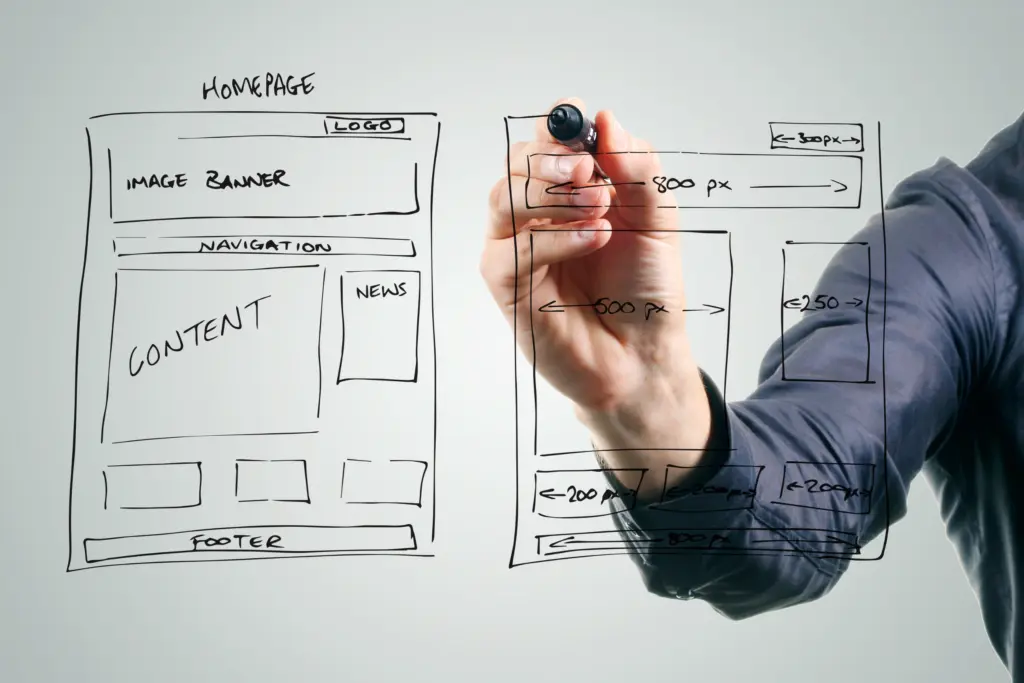
With your platform and hosting sorted, it’s time to roll up your sleeves and get creative with the design of your website.
Depending on how you host your website and content management platform, you can choose a template or theme to make the design process easier and faster. If you choose to use WordPress as your content management system, there are thousands of available themes you can use, some free and others paid. However, choosing the right theme or template for your website design is not always easy and takes time, as this crucial decision can impact your website’s functionality, appearance, and user experience.
Here are some tips to help you make an informed choice about choosing the right theme for your website:
- Define Your Goals: Before browsing templates, have a clear understanding of your website’s purpose, target audience, and content. This will guide your theme selection.
- Consider Responsiveness: Ensure the theme is responsive and adapts well to different screen sizes and devices. Mobile-friendly design is essential for a modern website.
- Evaluate Customization Options: Look for themes that offer customization options that align with your needs. Check if you can easily change colors, fonts, and layouts and add your branding elements. Don’t be afraid to tweak your template. Change colors, fonts, and layout to make it uniquely yours.
- Loading Speed: A fast-loading website is crucial for user satisfaction and search engine ranking. Choose a theme that’s optimized for speed.
- SEO-Friendly: Opt for an SEO-friendly theme, meaning it’s structured to make it easier for search engines to crawl and index your content.
- Check for Support and Updates: Ensure that its developers support the theme well. Regular updates and good customer support are essential for addressing issues and securing your site.
- Read Reviews and Ratings: Look for reviews and ratings of the theme from other users. This can give you insights into its performance and any potential issues.
- Demo the Theme: Whenever possible, try a demo of the theme to see how it functions in practice. This can help you assess its user-friendliness.
- Ensure Legal Compliance: Check if the theme supports these features if your website has specific legal requirements (e.g., GDPR compliance).
- Budget: Consider your budget. Some themes are free, while others are premium. Make sure the theme you choose fits within your financial constraints.
- Regular Updates: Ensure that the theme is regularly updated to stay compatible with the latest versions of content management systems (e.g., WordPress).
To help ensure a successful and user-friendly outcome when designing a website, prioritize simplicity and minimalism. Keep your homepage and overall design free of clutter to create a clean and intuitive user experience. Visual hierarchy is crucial; design elements should guide users’ attention effectively, making it easier for them to navigate your site and find relevant information.
Additionally, consider the purpose of your website. Clearly define your objectives and target audience, ensuring the design aligns with your goals. A well-thought-out color scheme and typography that’s easy to read, and skim can contribute to brand consistency and user engagement.
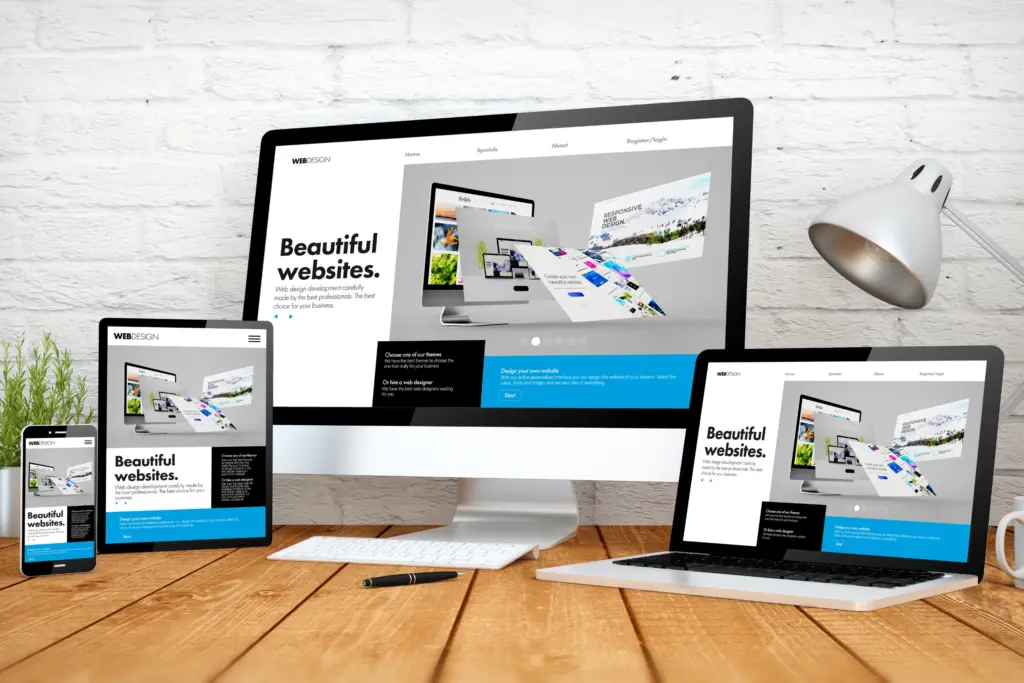
Responsive design is essential in today’s mobile-centric world. Ensure your website functions seamlessly across various devices and screen sizes, accommodating mobile users.
When selecting images, choose high-quality visuals that resonate with your content and brand identity. Optimize them for web use to maintain fast loading times, a critical factor for user satisfaction.
Lastly, prioritize SEO (Search Engine Optimization). Learn about SEO best practices to enhance your website’s visibility on search engines. Properly structured content, relevant keywords, and meta tags can improve your site’s ranking and drive organic traffic.
With these tips in mind, you can create a website that looks appealing, effectively serves its purpose, engages users, and ranks well in search results.

6. Create Useful and Engaging Content
Content is king. Fill your website with high-quality content. Whether it’s blog posts, product descriptions, or a stunning portfolio, ensure it’s engaging and relevant to your audience.
When setting up your website, the content and its organization are key. Here are some essential pages to include:
- Home Page: This is where you grab attention. Make it visually appealing with cool graphics and easy-to-read fonts. Clearly state what your business does and who it’s for. Don’t forget to add some catchy calls to action.
- About Us Page: Share your business’s backstory and mission, and introduce your team. This is where you connect with your visitors on a personal level.
- Booking or Shop Page: If you sell products or services, integrate a scheduling or e-commerce platform like HoneyBook or WooCommerce.
- Contact Page: Make it easy for folks to reach you. List your social media, email, phone number, and contact form. If relevant, include your business hours.
- Engaging Content: Blogs, videos, podcasts, case studies – this stuff sets you up as an industry expert and builds a community. Plus, it’s great for SEO, potentially boosting your site in search rankings.
- FAQ Page: Answering common questions saves you and your customers time and builds trust.
- Testimonials and Press: Show off positive reviews and any media mentions. It’s all about building credibility.
Incorporate eye-catching images and multimedia elements to make your website visually appealing, ensuring you compress and optimize the images for faster-loading pages. For example, convert your JPG or PNG images to the WEBP format for faster loading.
7. Optimize Your Website for Search Engines
SEO is all about making your site more visible on search engines like Google. Here are some basic tips:
- Keywords: Use them wisely in your content. Don’t overdo it, though, as it might backfire.
- Consistent Quality Content: Keep your audience engaged with regular, valuable updates.
- Content Audits: Regularly check what can be refreshed or consolidated.
- Speed it Up: A faster site can rank higher. Optimize images and enable browser caching.
- Mobile-Friendly: A growing percentage of traffic comes from mobiles, so ensure your site works well on all devices.
Remember, a great design is one thing, but search engines also seek substance and ease of use.
8. Review Your Site Before Going Live
When you’re ready to launch a website, there are several crucial steps and tips to ensure a successful launch. Before you hit that ‘Publish’ button, here’s a checklist of what needs to be done:
- Review Content: First impressions matter! Double-check and proofread your content for spelling and grammar errors. Ensure that all links are working correctly. Remove and replace any placeholder content.
- Check for Errors: Thoroughly inspect the website for any broken links, missing images, or other technical issues. Test its functionality across different browsers and devices to ensure compatibility.
- SEO Optimization: Optimize your website for search engines (SEO). This includes keyword research, meta tags, and ensuring proper URL structures. If you have previously blocked the search engines from indexing the site while in development, be sure to remove this setting and allow the search engines to index your site. Set up your Google Search Console and Bing Webmaster Tool accounts to get ready to submit the website’s sitemap after launch.
- Performance Testing: Conduct performance tests to ensure your website loads quickly. Compress images and minimize code to improve loading times.
- Backup and Security: Implement security measures such as SSL certificates and regular backups. Ensure your website is secure to protect against potential threats.
- Mobile Responsiveness: Verify that your website is mobile-friendly and responsive on various devices, including smartphones and tablets. Test how your website looks across mobiles and tablets using different browsers.
- Legal Compliance: Ensure that your website complies with legal requirements, such as privacy policies, terms of service, and General Data Protection Regulation (GDPR) particularly if you collect user data.
- Analytics Setup: Set up Google Analytics or other analytics tools to track website traffic and user behavior from the launch date. Make sure you can capture all events and metrics you need to gauge the success and reach of your new website.
- Social Sharing: Implement social media sharing buttons and ensure they are functional for sharing your website’s content on social platforms.
- Content Backup: Keep backups of your website’s content and data in case of unforeseen issues or data loss.
- Launch Plan: Create a launch plan and schedule the launch date and time. Coordinate with your team or collaborators for a smooth launch process.
- Monitor After Launch: After the website is live, continuously monitor its performance, security, and user feedback. Be prepared to address any issues promptly.
Once you’re confident everything’s good, go ahead and launch. Spread the word on social media and your network to drive traffic to your new website.
9. Launch Your Website
The moment you’ve been waiting for has arrived. After spending time and resources, it’s time to launch your website and share it with the world!
But before you launch, create a detailed website launch plan to ensure a successful and error-free website launch. Here’s a comprehensive plan with key steps:
- Preparation Phase:
- Define Goals and Objectives: Determine what you aim to achieve with the website launch, such as increased traffic, sales, or brand awareness.
- Target Audience: Identify your target audience and create buyer personas to tailor your content and design.
- Competitive Analysis: Research competitors’ websites to gather insights and differentiate your site.
- Content Creation:
- Content Strategy: Develop a content strategy, including what pages, blog posts, and media you publish.
- SEO Optimization: Perform keyword research and incorporate SEO best practices into your content.
- Quality Assurance: Review and edit all content for accuracy and consistency.
- Design and Development:
- Website Design: Create an appealing, user-friendly design that aligns with your brand.
- Development: Build the website using a content management system (CMS) or custom development.
- Responsiveness: Ensure the site is responsive and functions well on all devices.
- Testing and Quality Assurance:
- Functionality Testing: Test all website features, forms, and navigation to ensure they work correctly.
- Cross-Browser Testing: Verify the site’s compatibility with various browsers (Chrome, Firefox, Safari, etc.).
- Mobile Testing: Ensure the website functions seamlessly on mobile devices.
- Security and Performance:
- Implement Security Measures: Secure the website with SSL certificates and regular security updates.
- Performance Optimization: Optimize images and code for fast loading times.
- Analytics Setup:
- Install Analytics: Set up Google Analytics or other tracking tools to monitor website traffic.
- Goals and Conversions: To track success, define conversion goals (e.g., sign-ups, purchases).
- Backup and Recovery:
- Backup Strategy: Implement a backup solution to safeguard website data.
- Disaster Recovery Plan: Prepare for potential issues with a recovery plan.
- Launch Day:
- Schedule: Consider your audience’s time zones and choose a suitable launch date and time.
- Launch Team: Assemble a launch team responsible for monitoring the launch process.
- Double-check: Verify all aspects of the website one last time.
- Post-Launch:
- Promotion: Promote the website through social media, email marketing, and other channels.
- Monitor: Continuously monitor website performance, user feedback, and analytics.
- Updates: Plan for regular content updates and improvements.
- Maintenance and Growth:
- Maintenance Plan: Develop a maintenance schedule for updates, security, and backups.
- Growth Strategy: Implement strategies to attract more visitors and achieve your goals.
- Documentation:
- Create documentation outlining website specifications, procedures, and contact information for team members.
- Training:
- If necessary, provide training to team members who will manage and update the website.
By following this detailed website launch plan, you’ll be well-prepared to launch your website successfully and maintain its performance and relevance over time.
10. Maintaining and Keeping Your Site Up to Date
Launching your website is just the beginning. Your website is live, but the work doesn’t end there. Regular maintenance is key to keeping it performing well in search rankings and providing a great experience for visitors. Here’s a quick guide to keeping your site fresh and functioning:
- Monitor Site Usage: Tools like Google Analytics are handy for tracking your website’s performance and understanding how visitors use your site. Keep an eye on things like visitor numbers, user engagement, click-through rates, and how long people stay on your site. Regularly review these metrics and make improvements accordingly.
- Regular Updates: Keep your website up-to-date with new content. Blog regularly, update product listings, and refresh outdated information. Add new content like blog posts, products, or special deals. This not only keeps your audience engaged but also helps with your SEO.
- Security Updates: Regularly update your website’s CMS, themes, and plugins to protect it from security vulnerabilities.
- Monthly Reviews: Regularly check that everything on your site is working properly. This includes links, pages, and plugins. A smoothly running website is crucial for a good user experience. Ensure the site is optimized for speed and that your website loads quickly. Slow websites can turn visitors away. Establish a regular maintenance schedule, whether weekly, monthly, or quarterly, to ensure that all aspects of your website are checked and updated.
- Update Your ‘About Us’ Page: Got new team members? Achieved something cool recently? Make sure your ‘About Us’ page reflects these changes.
- Build Relationships with Other Sites: Over time, try to get other reputable sites to link to yours. This is great for SEO because search engines see these links as a thumbs-up for your site, which can boost your ranking.
- Update Design: Keep your website’s design and layout modern and user-friendly. Outdated designs can deter visitors and affect your brand’s credibility.
Remember, a website is never really ‘done’. A living part of your business needs care and attention to stay relevant and effective. Keep it updated, and it’ll serve you well in attracting and keeping customers.
FAQs (Frequently Asked Questions)
1. How much does it cost to make a website?
The cost of building a website can vary widely depending on your choices. Here’s a rough breakdown:
- Domain Name: $10 to $20 per year
- Hosting: $3 to $30 per month
- Premium Website Builder or CMS Theme: $50 to $200 (one-time)
- Maintenance and additional features: Variable
2. Do I need coding skills to make a website?
No, you don’t. Many website builders and CMS platforms offer drag-and-drop functionality, making creating a website without coding knowledge possible. However, some customization may require basic HTML/CSS skills.
3. How long does it take to build a website?
The time it takes to build a website depends on its complexity. A simple personal blog can be set up in a day, while a complex e-commerce site might take several weeks or months.
4. Can I change my website’s design after it’s live?
Yes, you can! Most website builders allow you to change your website’s design and content even after it’s live. Just be sure to back up your data before making major changes.
Wrapping Up
Building and maintaining a website might seem like a big task, but it’s a crucial and rewarding part of your digital presence. By following these steps and keeping your site up-to-date, you’ll create a dynamic online space that attracts visitors and keeps them engaged. Stay dedicated to your site; it will be a powerful tool for your business’s success.
2 thoughts on “How to Make a Website: 10 Steps to Follow”
Comments are closed.